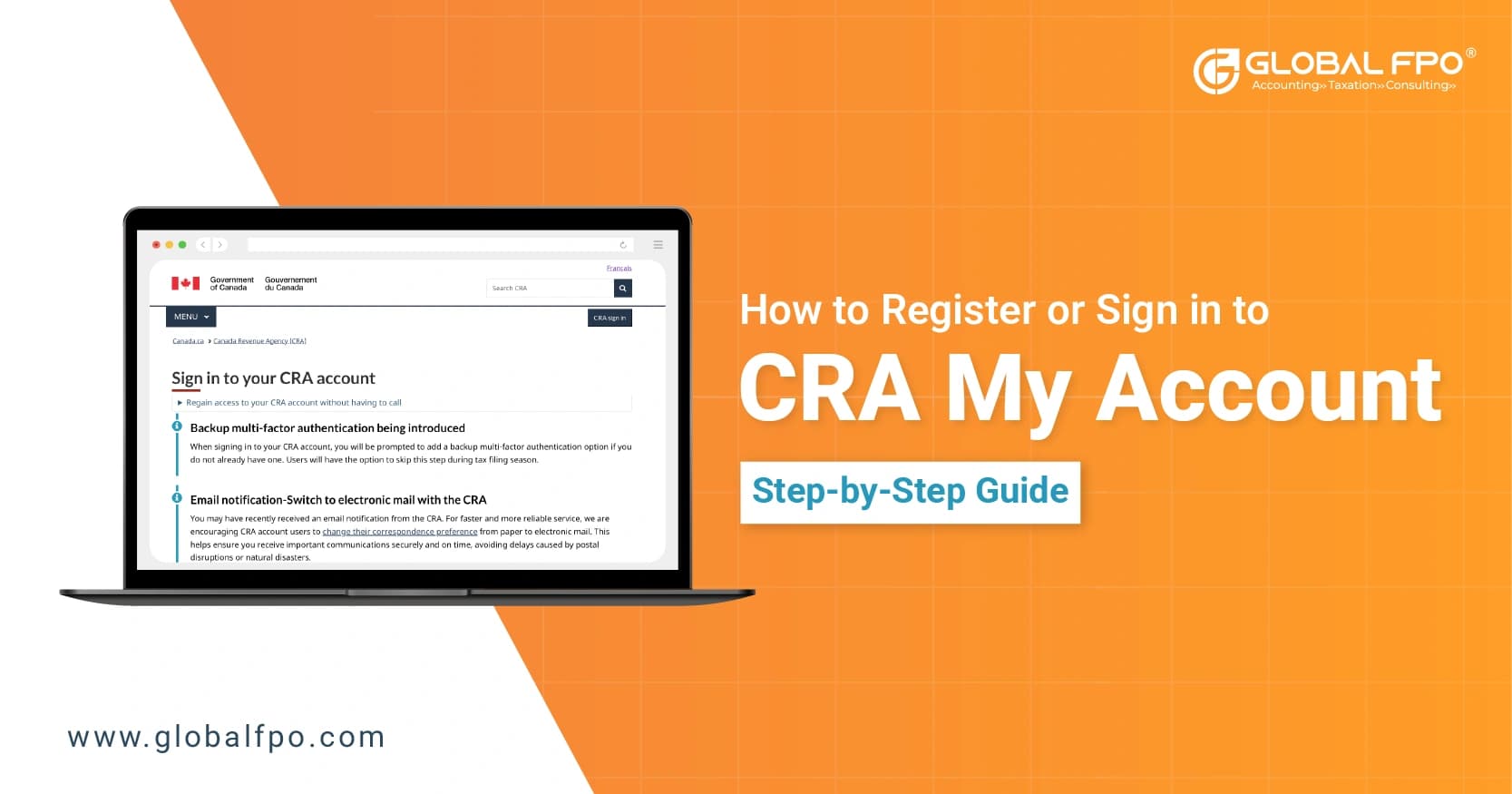
How to Register or Sign In to CRA My Account (Step-by-Step Guide)

Home icon-arrow Blog icon-arrow How to Register or Sign In to CRA My Account (Step-by-Step Guide)

If you want full control over your tax information, CRA My Account is the place to start. It is the official online portal that lets you manage everything from returns to benefits in one place.

To access it, you need to register for a CRA account and understand how the CRA login process works. This guide walks you through how to register for a CRA account, how to complete your CRA registration for My Account, and how to log in without errors.

What Is CRA My Account?

CRA My Account is a secure online platform provided by the Canada Revenue Agency. It gives individuals direct access to their tax and benefit information.

Once you register for a CRA account, you no longer need to rely on paper notices or long wait times on support calls. Everything is available online, in real time.

Here is what you can do after you complete your CRA My Account setup:

  • View tax returns and notices of assessment
  • Track refund status and payment history
  • Update personal details and direct deposit information
  • Monitor benefit payments like GST/HST credits

What this really means is simple. When you use CRA My Account, you stay in control of your financial data without delays or guesswork.

What Information Do You Need Before You Register for CRA My Account?

Before you begin to register for a CRA account, you need to have specific information ready. The system requires exact details, and any mismatch can stop your progress.

You will need:

  • Your Social Insurance Number (SIN)
  • Your date of birth
  • Details from a recently filed tax return
  • A valid email address and phone number

The tax return details are critical. They act as a verification checkpoint during the CRA registration for My Account.

Here is where many people get stuck. If you have not filed a recent tax return, you will not be able to complete the CRA account registration process. Filing your taxes is a prerequisite.

Taking a few minutes to gather these details will save you from restarting the process midway.

Also Read:  What Is the T2 Tax Form?

How to Register for CRA My Account: Step-by-Step Guide

Let us break down how to register for a CRA account into clear steps so you can complete it without confusion.

Step 1: Access the Official CRA Sign-In Page

Start by searching for Canada Revenue Agency login and open the official CRA website. From there, select the option to register.

Always make sure you are on the official site. Avoid third-party links to protect your data.

Step 2: Select Your Preferred Sign-In Method

During the CRA My Account registration process, you will choose how you want to log in going forward.

You will see three main options:

  • Sign-In Partner using your bank credentials
  • CRA user ID and password
  • Provincial digital ID (available in select regions)

All three options lead to the same CRA My Account dashboard. The difference lies only in how you authenticate your identity.

Step 3: Enter Personal and Tax Information Accurately

You will now enter your SIN, date of birth, and tax return details.

Accuracy matters here. Even a small mismatch can block your attempt to register for a CRA account. Use your latest tax return as a reference and double-check each entry before moving forward.

Step 4: Create Your Login Credentials

If you choose CRA credentials, you will need to:

  • Create a unique username
  • Set a strong password
  • Choose and answer security questions

These credentials will be used for every future CRA login, so choose something secure but memorable.

Step 5: Set Up Multi-Factor Authentication for Security

The CRA requires multi-factor authentication for all users. This step protects your account from unauthorized access.

You can choose:

  • Phone-based verification
  • Authenticator apps
  • Grid-based security codes

Every time you complete a CRA login, you will need to pass this additional verification step.

Step 6: Complete Identity Verification to Unlock Full Access

At this stage, your account is created, but access may still be limited.

You can verify your identity in two ways:

  • Instant verification using government-issued ID
  • Waiting for a security code sent by mail

The mailed code can take several days to arrive. Once entered, your CRA My Account will be fully activated.

Step 7: Confirm Registration and Access Your Dashboard

Once verification is complete, your registration process is finished.

You can now log in anytime and access your full account features without restrictions.

Need Help with CRA My Account Setup?

Avoid registration errors and delays. Let Global FPO guide you through a smooth and secure CRA account setup.

Get Free Consultation

How Do You Complete CRA Login Without Errors?

Once your account is active, the CRA login process becomes straightforward.

Here is how to sign in correctly:

  1. Go to the official CRA login page
  2. Select your sign-in method
  3. Enter your credentials or banking details
  4. Complete multi-factor authenticationx

After these steps, you will land on your CRA My Account login dashboard.

Most login issues happen because of incorrect credentials or failed authentication steps. Staying consistent with your chosen login method helps avoid confusion.

What Common Challenges Can Occur During CRA My Account Registration?

Even when you follow the steps, issues can still come up. Knowing what to expect helps you avoid delays.

  1. Incorrect Tax Information Stops Registration
    The system checks your tax details against official records. If the numbers do not match exactly, your attempt to register for a CRA account will fail. Always refer to your filed return instead of guessing.
  2. Not Filing Taxes Prevents Account Creation
    You cannot register for a CRA account without a recent tax filing. This is one of the most common roadblocks. If needed, file your return first and then restart the process.
  3. Delays in Receiving the Security Code
    Mail verification can take time. A missing code can be replaced by requesting a new one or switching to instant verification when available.
  4. Forgotten Credentials Affect CRA Login
    Login issues are usually resolved through the password recovery option. In cases of complete access loss, re-registration or contacting CRA support becomes necessary.

Which CRA Login Method Should You Choose?

During the CRA My Account registration process, choosing the right login method can make your experience smoother.

Here is how to decide:

Login Option When It Works Best
Sign-In Partner When you prefer quick access using banking credentials
CRA User ID When you want full control over login details
Provincial ID When you already use a government digital identity

All options give access to the same CRA My Account. Your choice depends on convenience and comfort with security methods.

Why Is It Important to Set Up Your CRA My Account Early?

You should register for a CRA account before you actually need it. Waiting until tax deadlines creates unnecessary pressure and delays.

Once you complete the CRA account registration process, every CRA login becomes quick and consistent. You get direct access to refunds, notices, and updates without relying on manual follow-ups.

If you want to avoid setup errors or delays, support from a firm like Global FPO can help streamline the process.

Setting up your CRA My Account early ensures you are ready when it matters and gives you full control through the official Canada Revenue Agency login page.

Need Help with CRA Setup?

Get expert assistance for smooth registration and login without errors.

FAQs

Que: 1. How do I register for CRA account for the first time?

Ans. To register for a CRA account, visit the official site, enter your SIN, tax details, and set up login credentials. You will also need to complete identity verification to access full features.

Que: 2. What details are required to register for a CRA account?

Ans. You need your SIN, date of birth, and information from a recently filed tax return. These details are used to verify your identity during registration.

Que: 3. Can I complete CRA My Account registration without filing taxes?

Ans. No, you cannot complete CRA My Account registration without a recent tax filing. The system uses your tax return for verification.

Que: 4. What is the fastest way to complete CRA login?

Ans. The fastest way to complete CRA login is by using a Sign-In Partner, such as your bank credentials, along with multi-factor authentication.

Que: 5. Why is my CRA login not working?

Ans. Your CRA login may fail due to incorrect credentials, failed multi-factor authentication, or account lock issues. Resetting your password usually resolves the problem.

Que: 6. How long does it take to activate CRA My Account?

Ans. If you use instant verification, CRA My Account can be activated immediately. Mail verification may take up to 10 days.

Que: 7. What should I do if I do not receive my CRA security code?

Ans. If your code does not arrive, request a new one or switch to instant verification if available to complete access setup for your account.

Que: 8. Can I access CRA My Account from outside Canada?

Ans. Yes, you can access CRA My Account from outside Canada, but you must complete the same CRA login steps, including multi-factor authentication.

Que: 9. Can Global FPO help with CRA account registration?

Ans. Yes, Global FPO can assist with the process of CRA registration for My Account by ensuring your details are accurate and guiding you through each step. This helps reduce errors and speeds up account activation.

Que: 10. When should you consider using Global FPO for CRA setup?

Ans. You can consider Global FPO if you face issues with CRA login, verification delays, or incorrect tax details. Professional support can make the registration process smoother and more reliable.

Tags:

skype-icon
Skype Call

Lets Connect

instagram-icon
facebook-icon
twitter-icon
linkedin-icon
youtube-icon